
Event Display Pro
Powerful event creation, styling, and display — built for GoHighLevel funnels
Add a fully-customizable events module into any funnel. Create events, categories, locations, and styling rules;
preview how events render on landing pages. Fast setup, flexible display.
Built for business coaches, webinars, churches, schools, businesses, and nonprofits.
Why it matters
Manage events inside GoHighLevel without external calendars. Build category-driven event lists, campus-specific schedules, and style displays to match your funnel brand. Designed for teams who need quick updates, segmentation, and fast publishing to landing pages and funnels.
Events Tab
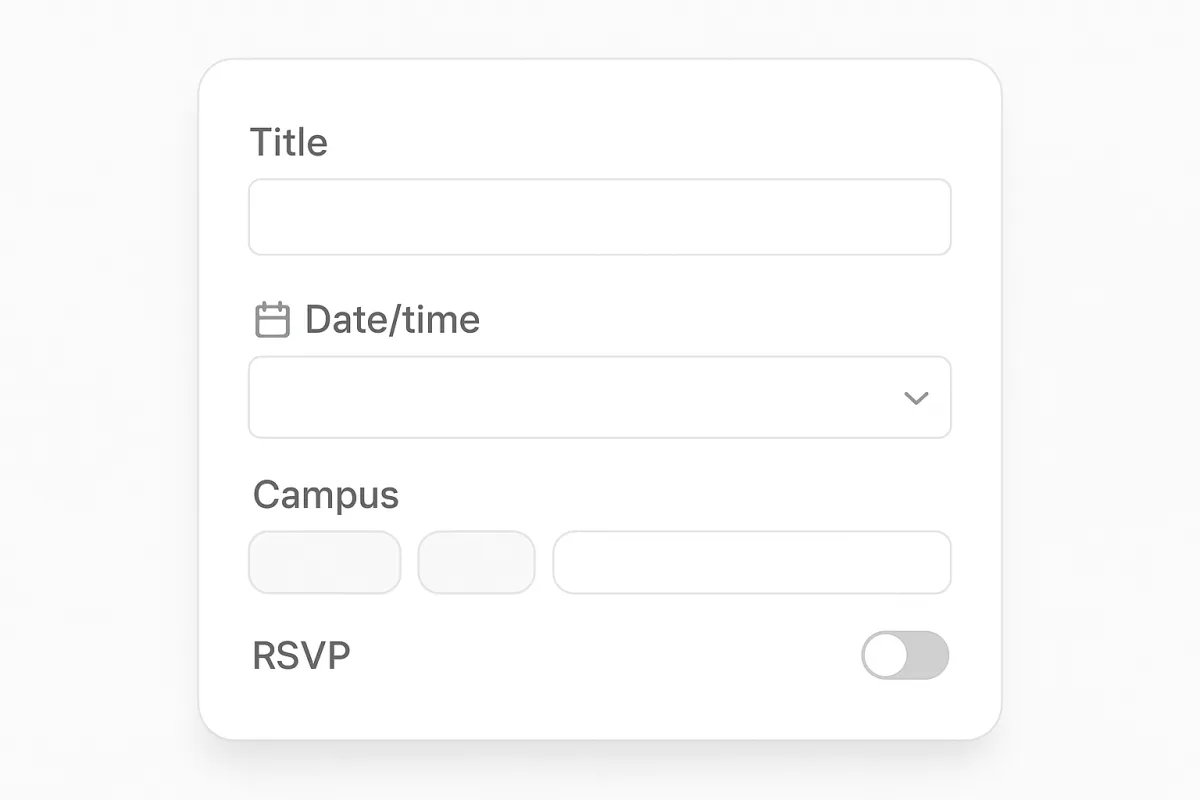
Create, edit, and schedule events with start/end times, locations, capacity, and custom metadata. Each event has its own visible fields and tagging for segmentation.
Filter by
Categories
Group events into categories for targeted lists and filters. Use categories for ministries, academic departments, public events, or internal trainings.
Filter by Location
Assign events to campuses or locations. Publish campus-specific calendars on funnels and landing pages to prevent attendee confusion and show relevant sessions.
Styling Tab
Match your funnel by customizing fonts, colors, card shapes, and spacing. Apply global theme overrides or per-event styling for special events.
Display Options
Choose list, grid, or compact table views. Toggle fields, enable RSVP buttons, and control default sort and filters to match your use case.
Preview
Instantly preview each display configuration in the builder before publishing so you never guess how the event will look in your funnel.
Live preview
How it works

Strategic Planning Intensive
A full-day intensive focused on creating bulletproof strategic plans that drive exponential growth and sustainable competitive advantage.

Scale Your Business Workshop
Join Online
Discover the essential systems, strategies, and mindset shifts needed to scale your business from 6 to 7 figures while maintaining work-life balance.
Executive Leadership Masterclass
Transform your leadership style and learn proven strategies to inspire teams, drive results, and navigate complex business challenges with confidence.
Setup
Install the widget, connect your account, and enable event permissions. The setup wizard guides you through initial preferences and campus defaults.
Customize
Add events, assign categories and campuses, and style the display. Use display options to control how visitors discover and RSVP to events.
Publish
Preview then publish the selected view into any funnel page. Updates to events sync across published instances automatically.
Built for real organizations
The widget supports varied event needs: recurring worship services, school parent-teacher nights, company workshops, and nonprofit fundraisers. Use campus filters and categories to present only the most relevant events to each audience.
Coaches
Webinars
Events
School schedules & open houses
Business workshops & webinars
Nonprofit drives & fundraisers

Try different display modes in the preview before you publish — list, grid, and compact views let you validate layout and copy for mobile and desktop.

User guide
Step-by-step setup and common workflows
1. Install & connect
Install the widget from the marketplace or drop the script into your funnel. Grant permissions for event reads/writes and set default campus and category values for faster setup.
2. Create events
Use the Events tab to create items with times, descriptions, capacity, and tags. Attach custom fields for RSVP questions and map these to your contact records for segmentation.
3. Style & display
Open the Styling tab to match fonts, colors, and spacing. Use Display Options to toggle RSVP buttons, fields shown, and default sort order for each funnel placement.
4. Publish & test
Use Preview to check mobile and desktop. Publish to a funnel page and test RSVP workflows, confirmations, and calendar exports before announcing to attendees.
Best practices & tips
Follow these practical tips to keep pages scannable, make RSVPs frictionless, and ensure attendees find the right event quickly. Keep copies concise and keep event data current for trust and conversions.
- Name events clearly
- Use categories sparingly
- Assign campus default
- Preview on mobile
- Limit fields on lists
- Test RSVP flows
Trusted by
Used across faith, education, nonprofit, and corporate funnels. Integrates with existing GoHighLevel contact flows and automations.




Ready to add events?
Install the Event Management Widget and publish events to your funnels in minutes. Book a quick setup call for pro styling or try the freemium flow and upgrade later.